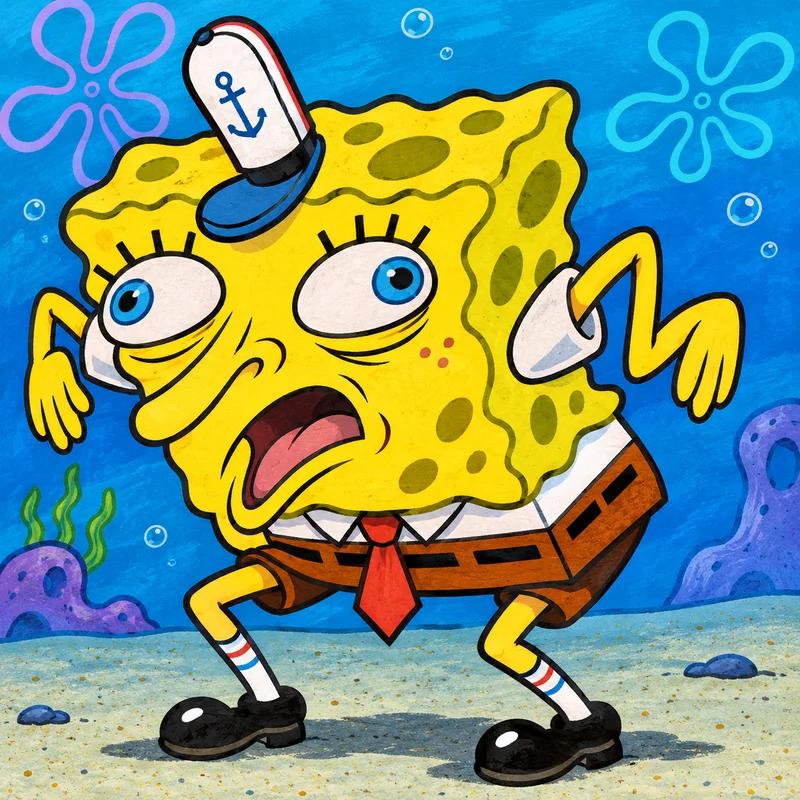
About the Mocking Spongebob format
This format uses an exaggerated pose from SpongeBob SquarePants to deliver a sarcastic echo. Our version is a new illustration of the familiar setup, designed to leave you room for your own captions. Start with the visual relationship, then choose words that make that relationship feel surprising or recognizable to your audience.
How to use this template
Write the claim you want to echo, then use alternating letter case to give the response its familiar mocking rhythm. Automatic uppercase is on by default in this editor; turn it off before entering mixed-case text. You can also keep normal case if the expressive pose already makes the tone obvious.
The editor above already has your picture loaded. Press Add Text to create a caption and replace the placeholder with your own words. Add another textbox for a second line or another label. Drag captions into position, use the corner handles to resize them, and rotate only when the angle helps the joke. You can change the text color and font from the controls beside the preview.
When it works best
This works for harmless overconfidence, exaggerated promises, and shared frustrations with familiar advice. Mock a statement or a situation rather than a person’s appearance or identity. If the target is a friend, choose something they will recognize as a mutual joke so the image lands as playful teasing.
Think about who will see the finished picture. A team chat can understand an inside reference that strangers would miss, while a public post needs a setup that stands on its own. Keep the wording direct, remove details that do not serve the punchline, and give the image enough space to carry its part of the story.
Four caption ideas to make your own
Use these pairs as starting points. Replace the details with something from your own day, and check that each caption fits the visual role you have assigned it.
Just one more episode
jUsT oNe MoRe EpIsOdE
It works on my machine
iT wOrKs On My MaChInE
This meeting will be quick
tHiS mEeTiNg WiLl Be QuIcK
I will remember without a note
i WiLl ReMeMbEr WiThOuT a NoTe
How it compares with other formats
Woman Yelling at Cat presents an exchange between two viewpoints; this format imitates a single claim. Change My Mind asserts a position confidently, whereas the mocking pose undermines someone else’s certainty. Use a different template when your caption needs sincere encouragement or a neutral explanation.
Explore the complete template collection if the tone is not quite right. A different expression can turn the same caption into a celebration, an awkward confession, or a sarcastic reply. Matching the mood is usually more effective than forcing a favorite image to tell a story it does not naturally support.
Make the final image easy to read
White Impact-style lettering with a black outline is the default because it stays visible against busy backgrounds. Keep captions short and check them at the preview’s actual size. Avoid covering eyes, hands, or other details that explain the reaction. Select Download PNG when you are happy: the free file keeps the image’s proportions with an 800-pixel long edge and a small FastMeme watermark.
Uploaded pictures and captions stay in your browser; there is no public gallery or account to manage. Save your file before leaving the page, because your edit is not stored between visits. When sharing, add a short written description so people who cannot see the image can still understand the joke.
Frequently asked questions
How do I edit the Mocking Spongebob template?
The image is loaded in the editor above. Press Add Text for each caption, type your words, and drag the text into place. Adjust the font size or color, then download your PNG.
Is this the original Mocking Spongebob image?
This is an original AI-generated illustration inspired by the familiar composition. It is not the original photo or screenshot, and FastMeme is not endorsed by the original subjects or creators.
Does the download cost anything?
The editor and 800px PNG download are free. A small FastMeme watermark is added in the lower right corner. No account or payment details are required.
Format background: Know Your Meme’s Mocking Spongebob entry. The illustration provided here is newly generated for FastMeme.